Skip to content

Keep the report subtree mounted when the linked action param changes - #104381

Merged
puneetlath merged 2 commits into
mainfrom
claude-keepReportSubtreeOnLinkedActionClear
Oct 22, 2026
Merged

puneetlath merged 2 commits into
mainfrom
claude-keepReportSubtreeOnLinkedActionClear

Conversation

@MelvinBot

@MelvinBot MelvinBot commented Oct 19, 2026 •

Copy link
Copy Markdown
Contributor

Explanation of Change

When a chat opens at a linked action (for example, the unapproved expense the inbox scrolls to), the first message you send jumps to the live tail and clears reportActionID. LinkedActionNotFoundGuard returned bare children without a linked action but wrapped them in a keyed LinkedActionNotFoundGate with one, so clearing the param changed the tree shape and remounted the header, actions list and composer. The remounted composer read its starting text from the report draft before the debounced clear had written it, so the sent message came back.

This renders the gate as a sibling that returns null, placed after children:

  • Setting, changing or clearing reportActionID no longer remounts the report subtree, so the composer and other local state survive (this matches how the screen behaved before the guards were extracted).
  • The gate keeps key={reportActionIDFromRoute}, so it still resets per linked action.
  • Recovery ordering is preserved: as a later sibling, the gate's layout effect (auto-recover for a deleted linked action) and passive effects still run after the children's effects, as they did when it wrapped them.

Tests in tests/navigation/LinkedActionNotFoundGuardTest.tsx:

  • New: children are not remounted when the param is cleared, added, or changed; the gate still resets on change; the recovery runs after the children's layout effects. The three remount tests fail on main. The ordering test fails if the gate is moved before children.
  • Updated: the gate no longer re-renders when its parent does, only when its own subscriptions change. The useOnyx mock now notifies subscribers, so the existing deleted/removed/loading tests push changes the way Onyx does instead of relying on a parent re-render.

AI tests run locally:

  • npm test on tests/navigation, useReportActionsScrollTest, useReportActionsNewActionLiveTailTest, PaginationTest, ReportActionComposeTest, ReportActionItemMessageEditTest, ReportActionMessageEditLayoutTest and MoneyRequestReportPreview: 71 suites, 842 tests passed.
  • npm run lint-changed, npm run typecheck, npm run spell-changed and npm run fmt (no diff): passed.
  • react-compiler-compliance-check check on the guard: exited cleanly. check-changed couldn't run in this environment because the base ref was empty.
  • Not run: the full Jest suite and the Storybook smoke test.
  • A web check of the linked-action flow couldn't run: the dev app rendered a blank page after sign-in.

Fixed Issues

$ #104358
PROPOSAL: #104358 (comment)

Tests

  1. A is a workspace owner/approver; B is a member. B submits a cash expense and sends enough messages to move it above the latest messages.
  2. As A, open another chat, then B's workspace expense chat from Inbox. Verify it opens at the pending expense.
  3. Send two messages. After each, verify it appears once and the composer stays empty. Reopen and reload/relaunch; verify both persist once.
  4. Verify unsent drafts survive chat/link navigation and deleted-message links recover without restoring sent text.
  • Verify that no errors appear in the JS console

Offline tests

  1. Cache the latest messages, disconnect the network and send a message. Verify it appears pending and the composer stays empty.
  2. Repeat from the linked pending expense. Verify the composer stays empty. Missing queued-message visibility here is a pre-existing limitation.
  3. Reconnect and reload/relaunch. Verify both messages persist once and the composer stays empty.

QA Steps

Same as Tests and Offline tests. Do not approve or pay the test expense.

  • Verify that no errors appear in the JS console

PR Author Checklist

  • I linked the correct issue in the ### Fixed Issues section above
  • I wrote clear testing steps that cover the changes made in this PR
    • I added steps for local testing in the Tests section
    • I added steps for the expected offline behavior in the Offline steps section
    • I added steps for Staging and/or Production testing in the QA steps section
    • I added steps to cover failure scenarios (i.e. verify an input displays the correct error message if the entered data is not correct)
    • I turned off my network connection and tested it while offline to ensure it matches the expected behavior (i.e. verify the default avatar icon is displayed if app is offline)
    • I tested this PR with a High Traffic account against the staging or production API to ensure there are no regressions (e.g. long loading states that impact usability).
  • I included screenshots or videos for tests on all platforms
  • I ran the tests on all platforms & verified they passed on:
    • Android: Native
    • Android: mWeb Chrome
    • iOS: Native
    • iOS: mWeb Safari
    • MacOS: Chrome / Safari
  • I verified there are no console errors (if there's a console error not related to the PR, report it or open an issue for it to be fixed)
  • I verified any copy / text that was added to the app is either coming verbatim from figma or has been approved by marketing (in order to get marketing approval, ask the Bug Zero team member to add the Waiting for copy label to the issue)
  • If a new code pattern is added I verified it was agreed to be used by multiple Expensify engineers
  • I tested other components that can be impacted by my changes (i.e. if the PR modifies a shared library or component like Avatar, I verified the components using Avatar are working as expected)
  • If new assets were added or existing ones were modified, I verified that:
    • The assets are optimized and compressed (for SVG files, run npm run compress-svg)
    • The assets load correctly across all supported platforms.
  • If the PR modifies code that runs when editing or sending messages, I tested and verified there is no unexpected behavior for all supported markdown - URLs, single line code, code blocks, quotes, headings, bold, strikethrough, and italic.
  • If the PR modifies a generic component, I tested and verified that those changes do not break usages of that component in the rest of the App (i.e. if a shared library or component like Avatar is modified, I verified that Avatar is working as expected in all cases)
  • If the PR modifies a component related to any of the existing Storybook stories, I tested and verified all stories for that component are still working as expected.
  • If the PR modifies a component or page that can be accessed by a direct deeplink, I verified that the code functions as expected when the deeplink is used - from a logged in and logged out account.
  • If the PR modifies the UI (e.g. new buttons, new UI components, changing the padding/spacing/sizing, moving components, etc) or modifies the form input styles:
    • I verified that all the inputs inside a form are aligned with each other.
    • I added Design label and/or tagged @Expensify/design so the design team can review the changes.
  • If the PR adds or modifies the UI:
    • I asked an AI agent to review the changes for accessibility issues and addressed its findings.
    • I tested with a screen reader (VoiceOver on macOS) and verified all new/changed elements are reachable with a logical focus order.
    • I verified all new/changed elements have meaningful accessible names and roles.
    • I verified state changes are announced (e.g. checked/unchecked, expanded/collapsed, selected).
  • I added unit tests for any new feature or bug fix in this PR to help automatically prevent regressions in this user flow.
  • If the main branch was merged into this PR after a review, I tested again and verified the outcome was still expected according to the Test steps.

Screenshots/Videos

Android: Native
PR-104381-android-native-online.mp4
Android: mWeb Chrome
PR-104381-android-mweb-chrome-online.mp4
iOS: Native
PR-104381-ios-native-online.mp4
iOS: mWeb Safari
PR-104381-ios-mweb-safari-online.mp4
MacOS: Chrome / Safari
PR-104381-desktop-web-chrome-aligned-online.mp4

LinkedActionNotFoundGuard returned bare children without a linked action and
wrapped them in a keyed gate with one, so setting, changing or clearing
reportActionID remounted the header, actions list and composer. Sending the
first message from a chat opened at a linked action clears the param, and the
remounted composer was reseeded with the not-yet-cleared draft.

Render the gate as a sibling after children so the subtree keeps its position,
while the gate still resets per linked action and its recovery effects still
run after the children's effects.

Co-authored-by: Nyoman Jyotisa <nyomanjyotisa@users.noreply.github.com>
@MelvinBot
MelvinBot requested a review from a team October 19, 2026 17:41
@melvin-bot melvin-bot Bot added Melvin-Test-Android Melvin-Test-Web Triggers Melvin to run the testing steps of the PR on web labels Oct 19, 2026
@MelvinBot

Copy link
Copy Markdown
Contributor Author

I opened this PR from a branch in the main App repo because you don't have a fork of Expensify/App.

To take ownership of the branch and push updates, run:

git remote add upstream https://github.com/Expensify/App.git
git fetch upstream claude-keepReportSubtreeOnLinkedActionClear
git checkout -b claude-keepReportSubtreeOnLinkedActionClear upstream/claude-keepReportSubtreeOnLinkedActionClear
git push -u origin claude-keepReportSubtreeOnLinkedActionClear

Then you can close this PR and open a new one from your fork.

@MelvinBot

MelvinBot commented Oct 19, 2026 •

Copy link
Copy Markdown
Contributor Author

🤖 Web test steps verification results: ✅ pass

The PR's Tests section is still empty, so I ran the repro steps from [$175] Android-Chat-Message reappear in composer when sent to chat with unapproved expense with one account. After the chat opened at the linked expense action, both sent messages posted and the composer stayed empty. I could not read the browser console, so the console-error step is partial.
Second message sent, composer empty

Step Status
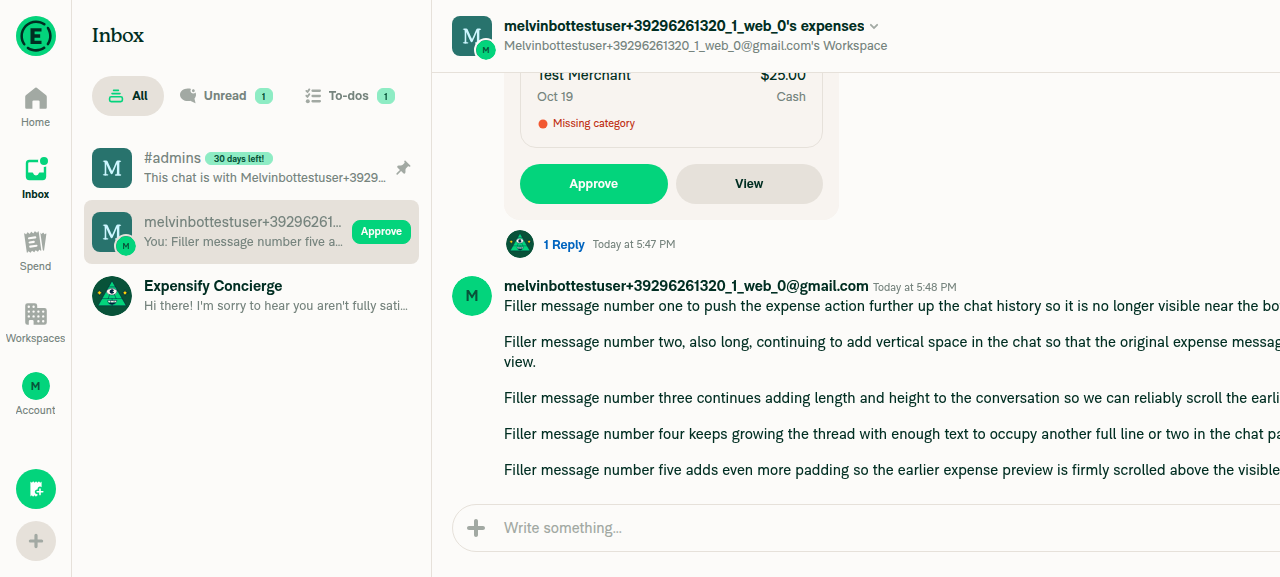
A workspace chat has a submitted expense pushed out of view by later messagesI created a workspace, submitted a $25.00 expense in the workspace chat, then sent 5 long messages. The expense card is scrolled above the viewport.
Expense pushed out of view by later messages
✅
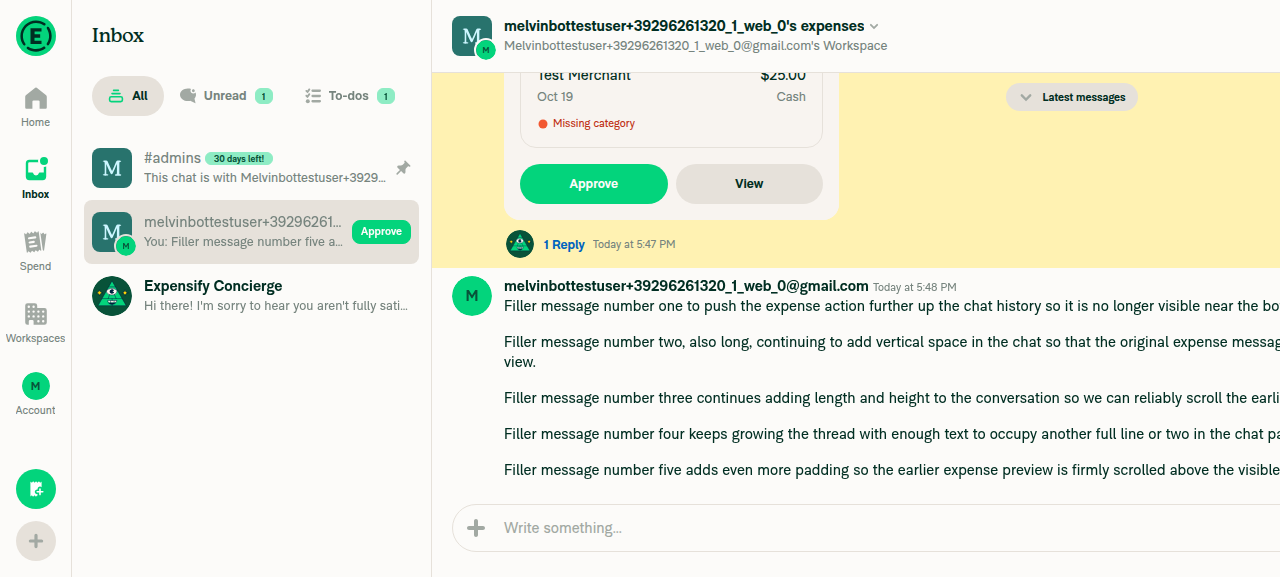
Opening the chat at the linked action scrolls to that action, not the bottomI used the expense thread's "From … Workspace" back-link to open the chat at the expense's reportActionID. The expense is highlighted and the "Latest messages" pill is visible.
Chat opened at the linked expense action
✅
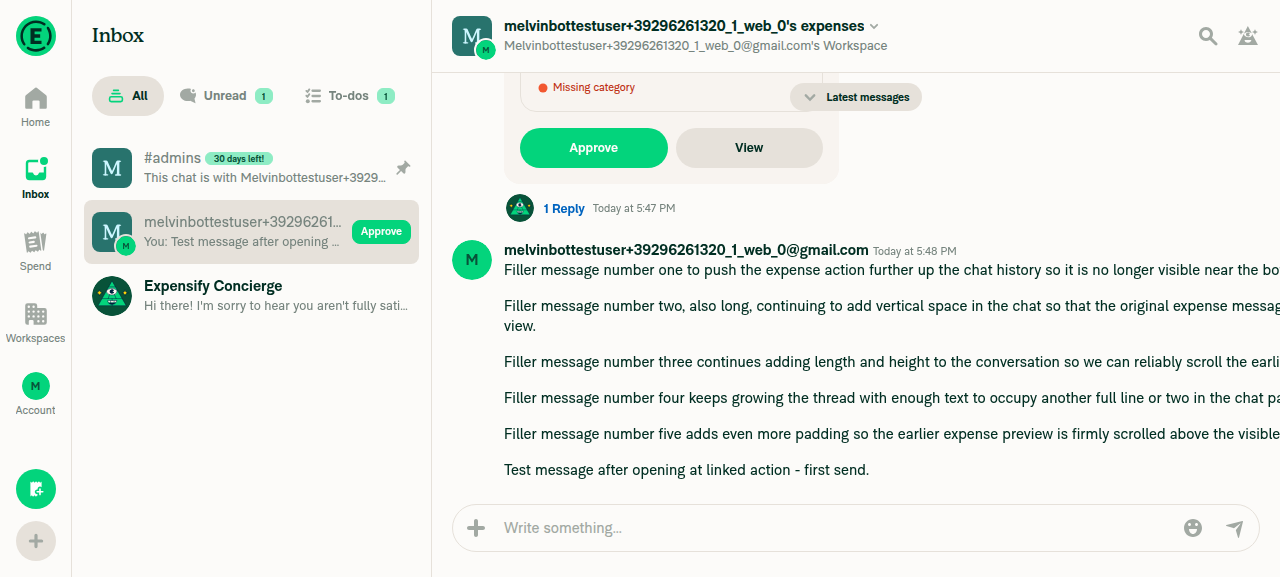
Sending a message posts it and jumps the chat to the latest messages"Test message after opening at linked action - first send." posted at the bottom, below the 5 long messages.
First message sent, composer empty
✅
After sending, the composer stays empty and the message does not reappearReading the composer text returned only the "Write something..." placeholder, right after sending and again several seconds later.
✅
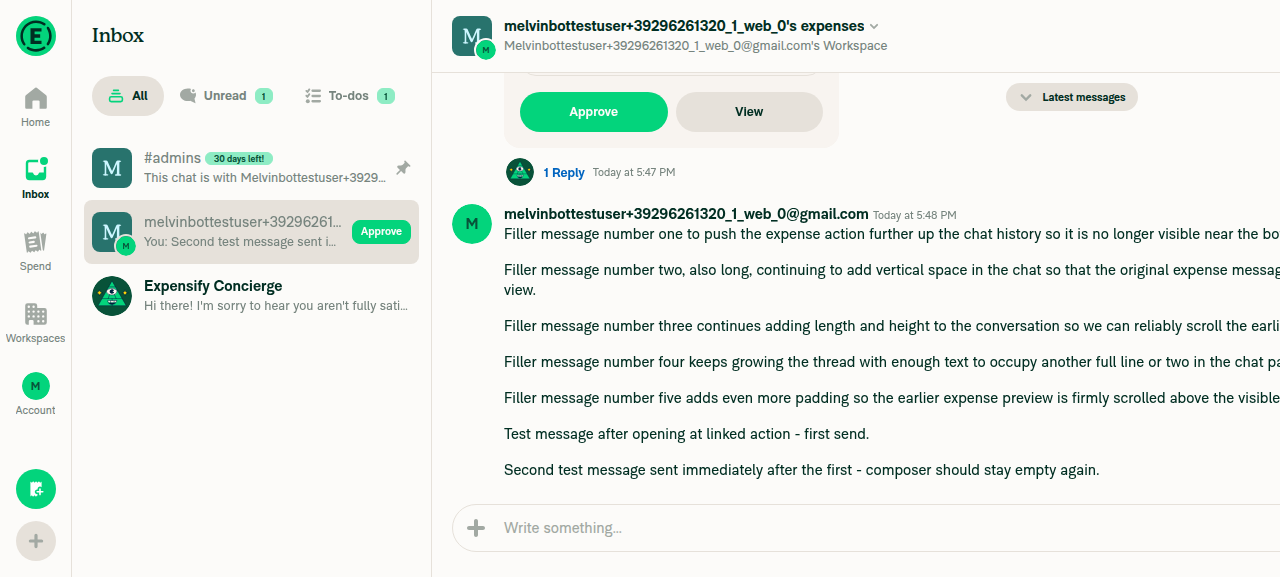
A second message sent right after also works and the composer stays emptyBoth test messages posted in order. The composer shows only the placeholder.
Second message sent, composer empty
✅
No JS console errors related to the changeThe web test tool can't read browser console logs. No error banners, crash screens, or broken UI appeared during the flow.
⚠️

view run · view recording

@MelvinBot

MelvinBot commented Oct 19, 2026 •

Copy link
Copy Markdown
Contributor Author

🤖 Android test steps verification results: ✅ pass

On Android, I opened the workspace chat at a linked expense action and sent two messages. Both times the composer stayed empty and the chat jumped to the latest messages. The PR's Tests section is still empty, so I ran the one-account version of the repro steps from [$175] Android-Chat-Message reappear in composer when sent to chat with unapproved expense.
Both sent messages visible with an empty composer

Step Status
The workspace chat has a submitted expense pushed out of view by later messagesI created a workspace, submitted a $25.00 Coffee Shop expense, then sent 6 long messages. The expense card scrolled fully off the bottom of the screen.
✅
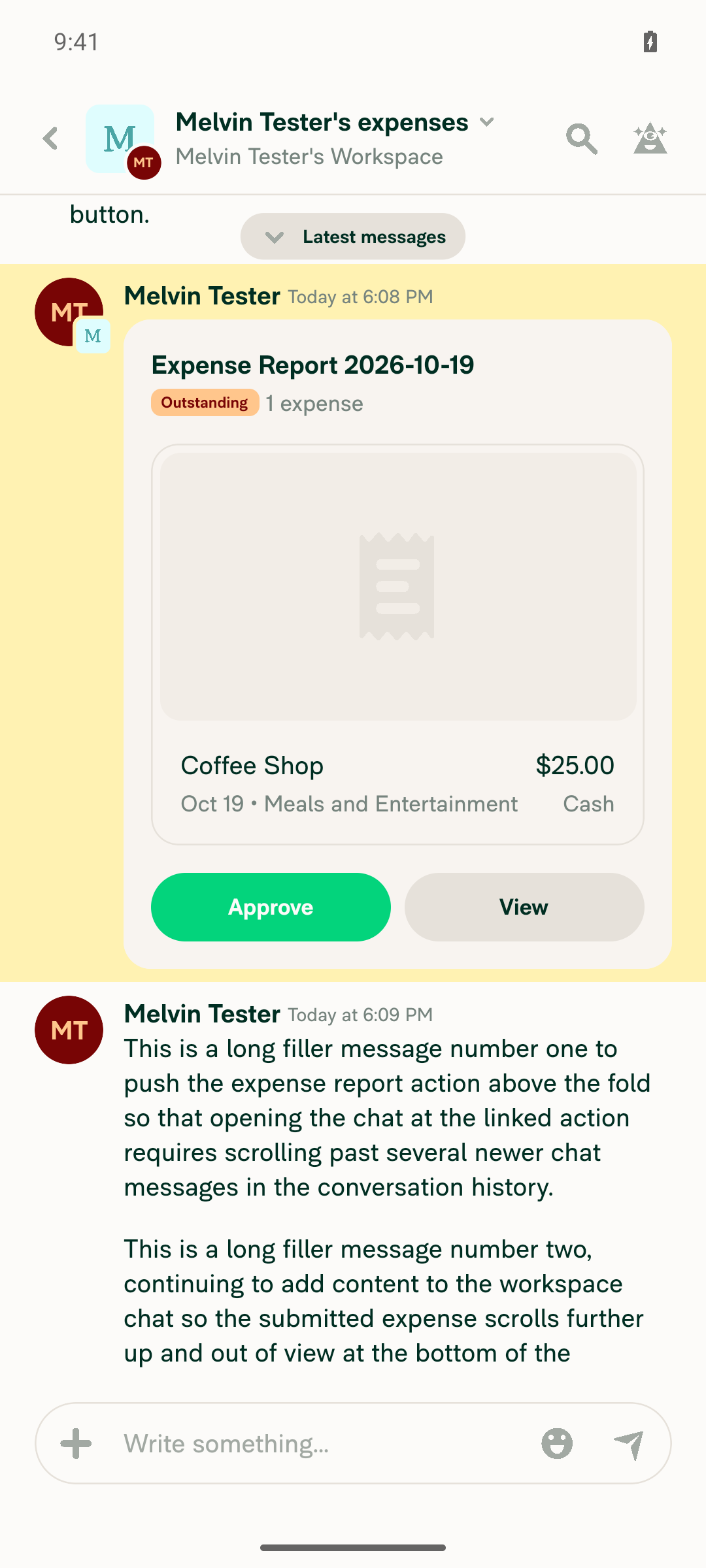
Opening the chat at the linked action scrolls to that action, not the bottomI tapped the expense report's "From … in … Workspace" back-link. The chat opened with the expense highlighted, a "Latest messages" pill, and the 6 newer messages below it.
Chat opened at the highlighted expense action with Latest messages pill
✅
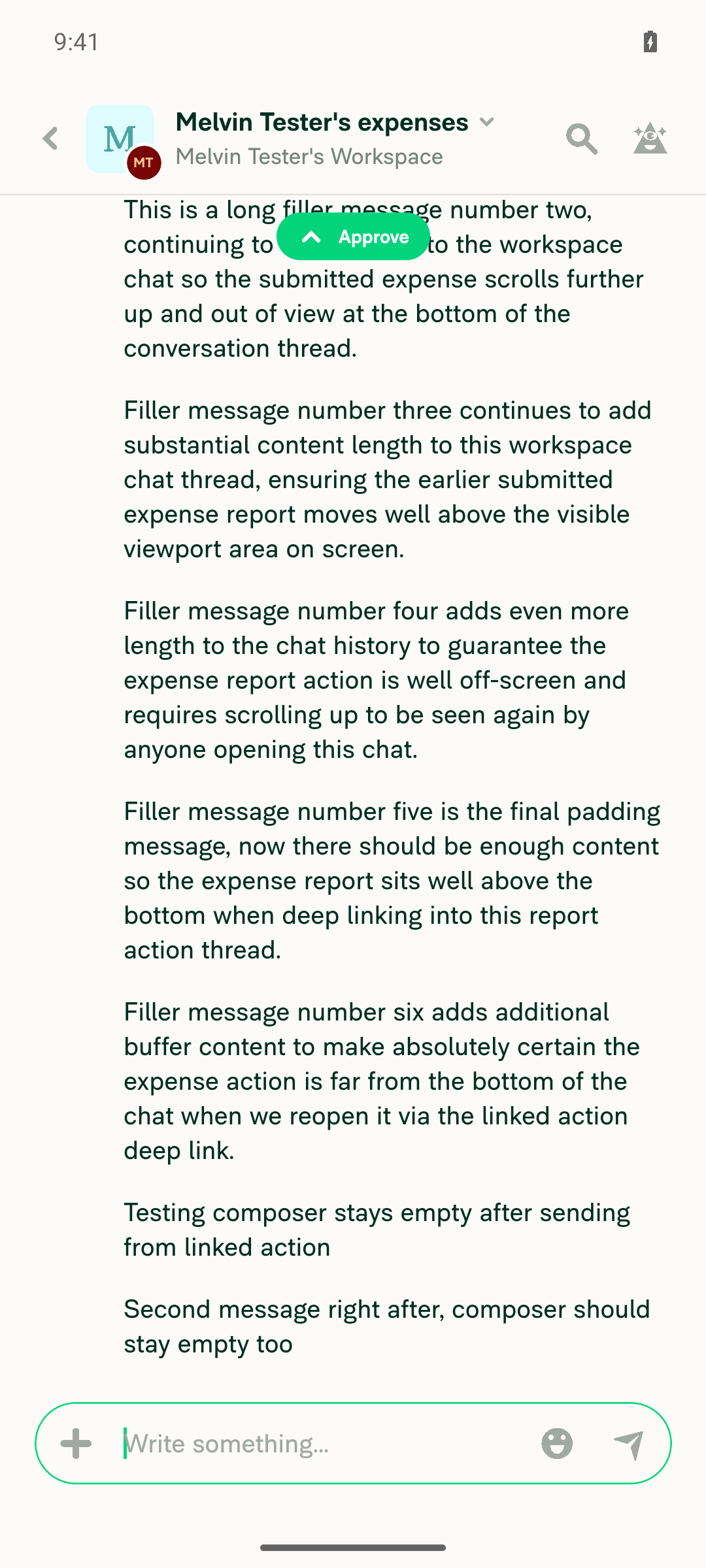
Sending a message posts it and jumps the chat to the latest messages"Testing composer stays empty after sending from linked action" posted at the bottom. The highlight and "Latest messages" pill were gone.
✅
After sending, the composer stays empty and the message does not reappearThe composer showed only the "Write something..." placeholder right after sending, and again after 3 and 4 second waits.
✅
A second message sent right after also works and the composer stays empty"Second message right after, composer should stay empty too" posted below the first. The composer showed only the placeholder right away and after a 3 second wait.
Both sent messages visible with an empty composer
✅
No errors or crash during the flowThe app stayed responsive. No error banners, crash screens, or Metro bundle failures appeared. An unrelated "Add payment card" dialog was closed.
✅

view run · view recording

@nyomanjyotisa

Copy link
Copy Markdown
Member

@puneetlath While testing this PR, I discovered a pre-existing bug and confirmed it on main: sending offline from an older linked expense hides the queued message until reconnect. A four-line local fix restores visibility (18 lines including regression tests). May I handle this separately under the C+ small-fix process?

@nyomanjyotisa

Copy link
Copy Markdown
Member

@MelvinBot please replace ### Tests through ### Screenshots/Videos with the content below.

Updated testing, checklist, and recordings

Tests

  1. A is a workspace owner/approver; B is a member. B submits a cash expense and sends enough messages to move it above the latest messages.
  2. As A, open another chat, then B's workspace expense chat from Inbox. Verify it opens at the pending expense.
  3. Send two messages. After each, verify it appears once and the composer stays empty. Reopen and reload/relaunch; verify both persist once.
  4. Verify unsent drafts survive chat/link navigation and deleted-message links recover without restoring sent text.
  • Verify that no errors appear in the JS console

Offline tests

  1. Cache the latest messages, disconnect the network and send a message. Verify it appears pending and the composer stays empty.
  2. Repeat from the linked pending expense. Verify the composer stays empty. Missing queued-message visibility here is a pre-existing limitation.
  3. Reconnect and reload/relaunch. Verify both messages persist once and the composer stays empty.

QA Steps

Same as Tests and Offline tests. Do not approve or pay the test expense.

  • Verify that no errors appear in the JS console

PR Author Checklist

  • I linked the correct issue in the ### Fixed Issues section above
  • I wrote clear testing steps that cover the changes made in this PR
    • I added steps for local testing in the Tests section
    • I added steps for the expected offline behavior in the Offline steps section
    • I added steps for Staging and/or Production testing in the QA steps section
    • I added steps to cover failure scenarios (i.e. verify an input displays the correct error message if the entered data is not correct)
    • I turned off my network connection and tested it while offline to ensure it matches the expected behavior (i.e. verify the default avatar icon is displayed if app is offline)
    • I tested this PR with a High Traffic account against the staging or production API to ensure there are no regressions (e.g. long loading states that impact usability).
  • I included screenshots or videos for tests on all platforms
  • I ran the tests on all platforms & verified they passed on:
    • Android: Native
    • Android: mWeb Chrome
    • iOS: Native
    • iOS: mWeb Safari
    • MacOS: Chrome / Safari
  • I verified there are no console errors (if there's a console error not related to the PR, report it or open an issue for it to be fixed)
  • I verified any copy / text that was added to the app is either coming verbatim from figma or has been approved by marketing (in order to get marketing approval, ask the Bug Zero team member to add the Waiting for copy label to the issue)
  • If a new code pattern is added I verified it was agreed to be used by multiple Expensify engineers
  • I tested other components that can be impacted by my changes (i.e. if the PR modifies a shared library or component like Avatar, I verified the components using Avatar are working as expected)
  • If new assets were added or existing ones were modified, I verified that:
    • The assets are optimized and compressed (for SVG files, run npm run compress-svg)
    • The assets load correctly across all supported platforms.
  • If the PR modifies code that runs when editing or sending messages, I tested and verified there is no unexpected behavior for all supported markdown - URLs, single line code, code blocks, quotes, headings, bold, strikethrough, and italic.
  • If the PR modifies a generic component, I tested and verified that those changes do not break usages of that component in the rest of the App (i.e. if a shared library or component like Avatar is modified, I verified that Avatar is working as expected in all cases)
  • If the PR modifies a component related to any of the existing Storybook stories, I tested and verified all stories for that component are still working as expected.
  • If the PR modifies a component or page that can be accessed by a direct deeplink, I verified that the code functions as expected when the deeplink is used - from a logged in and logged out account.
  • If the PR modifies the UI (e.g. new buttons, new UI components, changing the padding/spacing/sizing, moving components, etc) or modifies the form input styles:
    • I verified that all the inputs inside a form are aligned with each other.
    • I added Design label and/or tagged @Expensify/design so the design team can review the changes.
  • If the PR adds or modifies the UI:
    • I asked an AI agent to review the changes for accessibility issues and addressed its findings.
    • I tested with a screen reader (VoiceOver on macOS) and verified all new/changed elements are reachable with a logical focus order.
    • I verified all new/changed elements have meaningful accessible names and roles.
    • I verified state changes are announced (e.g. checked/unchecked, expanded/collapsed, selected).
  • I added unit tests for any new feature or bug fix in this PR to help automatically prevent regressions in this user flow.
  • If the main branch was merged into this PR after a review, I tested again and verified the outcome was still expected according to the Test steps.

Screenshots/Videos

Android: Native
PR-104381-android-native-online.mp4
Android: mWeb Chrome
PR-104381-android-mweb-chrome-online.mp4
iOS: Native
PR-104381-ios-native-online.mp4
iOS: mWeb Safari
PR-104381-ios-mweb-safari-online.mp4
MacOS: Chrome / Safari
PR-104381-desktop-web-chrome-aligned-online.mp4

@MelvinBot

Copy link
Copy Markdown
Contributor Author

I updated the PR description. Everything from ### Tests through ### Screenshots/Videos now matches your content: Tests, Offline tests, QA Steps, the checked PR Author Checklist, and the 5 platform recordings. The sections above ### Tests are unchanged.

@puneetlath

Copy link
Copy Markdown
Contributor

@puneetlath While testing this PR, I discovered a pre-existing bug and confirmed it on main: sending offline from an older linked expense hides the queued message until reconnect. A four-line local fix restores visibility (18 lines including regression tests). May I handle this separately under the C+ small-fix process?

Sure, sounds good.

@nyomanjyotisa

Copy link
Copy Markdown
Member

@MelvinBot please mark this PR ready for review.

@MelvinBot
MelvinBot marked this pull request as ready for review October 20, 2026 23:12
@MelvinBot
MelvinBot requested a review from a team as a code owner October 20, 2026 23:12
@MelvinBot

Copy link
Copy Markdown
Contributor Author

I marked this PR ready for review.

@melvin-bot
melvin-bot Bot requested review from nyomanjyotisa and removed request for a team October 20, 2026 23:13
@melvin-bot

melvin-bot Bot commented Oct 20, 2026

Copy link
Copy Markdown

@nyomanjyotisa Please copy/paste the Reviewer Checklist from here into a new comment on this PR and complete it. If you have the K2 extension, you can simply click: [this button]

@melvin-bot
melvin-bot Bot requested review from joekaufmanexpensify and removed request for a team October 20, 2026 23:13
@chatgpt-codex-connector

chatgpt-codex-connector Bot commented Oct 20, 2026 •

Copy link
Copy Markdown

Codex Review Summary

This comment shows the latest Codex review activity on this pull request.

Review Status Commit Review trigger
📝 Code Review ✅ Completed 2026-10-20T23:21:07.092625Z bf189f2 Draft marked ready
ℹ️ About Codex in GitHub

Your team has set up Codex to review pull requests in this repo. Reviews are triggered when you

  • Open a pull request for review
  • Mark a draft as ready
  • Comment "@codex review" or "@codex security review".

Codex reacts with 👀 while any review is running, comments if it has suggestions, and reacts with 👍 once all reviews finish with no findings.

@nyomanjyotisa

Copy link
Copy Markdown
Member

Reviewer Checklist

  • I have verified the author checklist is complete (all boxes are checked off).
  • I verified the correct issue is linked in the ### Fixed Issues section above
  • I verified testing steps are clear and they cover the changes made in this PR
    • I verified the steps for local testing are in the Tests section
    • I verified the steps for Staging and/or Production testing are in the QA steps section
    • I verified the steps cover any possible failure scenarios (i.e. verify an input displays the correct error message if the entered data is not correct)
    • I turned off my network connection and tested it while offline to ensure it matches the expected behavior (i.e. verify the default avatar icon is displayed if app is offline)
  • I checked that screenshots or videos are included for tests on all platforms
  • I included screenshots or videos for tests on all platforms
  • I verified that the composer does not automatically focus or open the keyboard on mobile unless explicitly intended. This includes checking that returning the app from the background does not unexpectedly open the keyboard.
  • I verified tests pass on all platforms & I tested again on:
    • Android: HybridApp
    • Android: mWeb Chrome
    • iOS: HybridApp
    • iOS: mWeb Safari
    • MacOS: Chrome / Safari
  • If there are any errors in the console that are unrelated to this PR, I either fixed them (preferred) or linked to where I reported them in Slack
  • I verified any copy / text that was added to the app is either coming verbatim from figma or has been approved by marketing (in order to get marketing approval, ask the Bug Zero team member to add the Waiting for copy label to the issue)
  • If a new code pattern is added I verified it was agreed to be used by multiple Expensify engineers
  • I verified other components that can be impacted by these changes have been tested, and I retested again (i.e. if the PR modifies a shared library or component like Avatar, I verified the components using Avatar have been tested & I retested again)
  • If a new component is created I verified that:
    • A similar component doesn't exist in the codebase
    • All props are defined accurately
    • The component has a clear name that is non-ambiguous and the purpose of the component can be inferred from the name alone
    • The only data being stored in the state is data necessary for rendering and nothing else
    • The component has the minimum amount of code necessary for its purpose, and it is broken down into smaller components in order to separate concerns and functions
  • If the PR modifies code that runs when editing or sending messages, I tested and verified there is no unexpected behavior for all supported markdown - URLs, single line code, code blocks, quotes, headings, bold, strikethrough, and italic.
  • If the PR modifies a generic component, I tested and verified that those changes do not break usages of that component in the rest of the App (i.e. if a shared library or component like Avatar is modified, I verified that Avatar is working as expected in all cases)
  • If the PR modifies a component related to any of the existing Storybook stories, I tested and verified all stories for that component are still working as expected.
  • If the PR modifies a component or page that can be accessed by a direct deeplink, I verified that the code functions as expected when the deeplink is used - from a logged in and logged out account.
  • If the PR modifies the UI (e.g. new buttons, new UI components, changing the padding/spacing/sizing, moving components, etc) or modifies the form input styles:
    • I verified that all the inputs inside a form are aligned with each other.
    • I added Design label and/or tagged @Expensify/design so the design team can review the changes.
  • If the PR adds or modifies the UI:
    • I asked an AI agent to review the changes for accessibility issues and addressed its findings.
    • I tested with a screen reader (VoiceOver on macOS) and verified all new/changed elements are reachable with a logical focus order.
    • I verified all new/changed elements have meaningful accessible names and roles.
    • I verified state changes are announced (e.g. checked/unchecked, expanded/collapsed, selected).
  • For any bug fix or new feature in this PR, I verified that sufficient unit tests are included to prevent regressions in this flow.
  • If the main branch was merged into this PR after a review, I tested again and verified the outcome was still expected according to the Test steps.
  • I have checked off every checkbox in the PR reviewer checklist, including those that don't apply to this PR.

Screenshots/Videos

Android: HybridApp
PR-104381-android-native-online.mp4
Android: mWeb Chrome
PR-104381-android-mweb-chrome-online.mp4
iOS: HybridApp
PR-104381-ios-native-online.mp4
iOS: mWeb Safari
PR-104381-ios-mweb-safari-online.mp4
MacOS: Chrome / Safari
PR-104381-desktop-web-chrome-aligned-online.mp4

@nyomanjyotisa nyomanjyotisa left a comment

Copy link
Copy Markdown
Member

Choose a reason for hiding this comment

The reason will be displayed to describe this comment to others. Learn more.

LGTM!

@melvin-bot
melvin-bot Bot requested a review from puneetlath October 21, 2026 00:05
Comment on lines +33 to +35
// The gate is a sibling rather than a wrapper so that setting, changing or clearing the linked action never remounts
// the report subtree (header, actions list, composer) and drops its local state, e.g. the composer text.
// It comes after children so its recovery effects still run after theirs, as they did when it wrapped them.

Copy link
Copy Markdown
Contributor

Choose a reason for hiding this comment

The reason will be displayed to describe this comment to others. Learn more.

Can we remove the historical context of "as they did when it wrapped them" here. No who reads this in the future is going to know what that means. In general, if we could make this comment more succinct and straightforward that would be great.

Copy link
Copy Markdown
Contributor Author

Choose a reason for hiding this comment

The reason will be displayed to describe this comment to others. Learn more.

Done in 24651122. I removed the historical context and shortened the comment to two lines:

// Render the gate next to children, not around them, so changing the linked action doesn't remount the report
// and lose its state (e.g. composer text). It comes after children so its effects run after theirs.

view run

Comment on lines +71 to +73
// The gate no longer re-renders when its parent does, only when its own subscriptions change, so the useOnyx mock
// notifies subscribers like Onyx does. Visibility is derived from DERIVED.VISIBLE_REPORT_ACTIONS, so an update
// also replaces that value.

Copy link
Copy Markdown
Contributor

Choose a reason for hiding this comment

The reason will be displayed to describe this comment to others. Learn more.

Again, let's remove historical context here and just provide the information necessary to understand the code as-written now.

Copy link
Copy Markdown
Contributor Author

Choose a reason for hiding this comment

The reason will be displayed to describe this comment to others. Learn more.

Done in 24651122. The comment now describes only the current behavior:

// The gate only re-renders when its Onyx subscriptions change, so the useOnyx mock notifies subscribers like Onyx does.
// Each update also replaces DERIVED.VISIBLE_REPORT_ACTIONS, which visibility is derived from.

view run

@joekaufmanexpensify joekaufmanexpensify left a comment

Copy link
Copy Markdown
Contributor

Choose a reason for hiding this comment

The reason will be displayed to describe this comment to others. Learn more.

Good for product

@nyomanjyotisa

Copy link
Copy Markdown
Member

@MelvinBot please address @puneetlath’s comment-wording requests here and here, with no runtime changes.

Co-authored-by: Nyoman Jyotisa <nyomanjyotisa@users.noreply.github.com>
@MelvinBot
MelvinBot requested a review from a team as a code owner October 22, 2026 05:38
@melvin-bot
melvin-bot Bot requested review from nyomanjyotisa and removed request for a team October 22, 2026 05:38
@melvin-bot

melvin-bot Bot commented Oct 22, 2026

Copy link
Copy Markdown

@nyomanjyotisa Please copy/paste the Reviewer Checklist from here into a new comment on this PR and complete it. If you have the K2 extension, you can simply click: [this button]

@MelvinBot

Copy link
Copy Markdown
Contributor Author

I made both wording changes puneetlath asked for in 24651122. The commit changes only comments, so runtime behavior is the same.

I also replied in both review threads.


view run

@puneetlath
puneetlath merged commit 0965564 into main Oct 22, 2026
57 of 79 checks passed
@puneetlath
puneetlath deleted the claude-keepReportSubtreeOnLinkedActionClear branch October 22, 2026 15:24
@OSBotify

Copy link
Copy Markdown
Contributor

🚀 Deployed to staging by https://github.com/puneetlath in version: 9.5.20-0 🚀

platform result
🕸 web 🕸 success ✅
🤖 android 🤖 success ✅
🍎 iOS 🍎 success ✅

@MelvinBot

Copy link
Copy Markdown
Contributor Author

No help site update needed. This PR fixes a bug where a sent message reappeared in the composer after you opened a chat at a linked action, so the app now behaves the way users already expect.


view run

@OSBotify

Copy link
Copy Markdown
Contributor

🚀 Deployed to production by https://github.com/jasperhuangg in version: 9.5.20-5 🚀

platform result
🕸 web 🕸 success ✅
🤖 android 🤖 success ✅
🍎 iOS 🍎 failure ❌

Bundle Size Analysis (Sentry):

Sign up for free to join this conversation on GitHub. Already have an account? Sign in to comment

Labels

Melvin-Test-Android Melvin-Test-Web Triggers Melvin to run the testing steps of the PR on web

Projects

None yet

Development

Successfully merging this pull request may close these issues.

5 participants